Private beta for Apple Silicon Macs

The AI that remembers every project for you

Meetings, memory, projects, automations and data, with Claude Code and Codex as your agents. Nothing leaves your Mac except what you choose to share.

  • Signed and notarized by Apple
  • Everything stays local
Talo

What did we agree with the client on Tuesday?

Meetings Memory Data Email Video

You agreed on €84,000 in two milestones, January and March, approved by the steering committee on Sept 22. [M1][M2]

Sources for this answer

M1M2

M1 · Meeting “Client sync, Tuesday” · 13 Oct 2026

“We agreed on €84,000, in two milestones: January and March, approved by the steering committee on Sept 22.”

Diego Paredes · Finance director

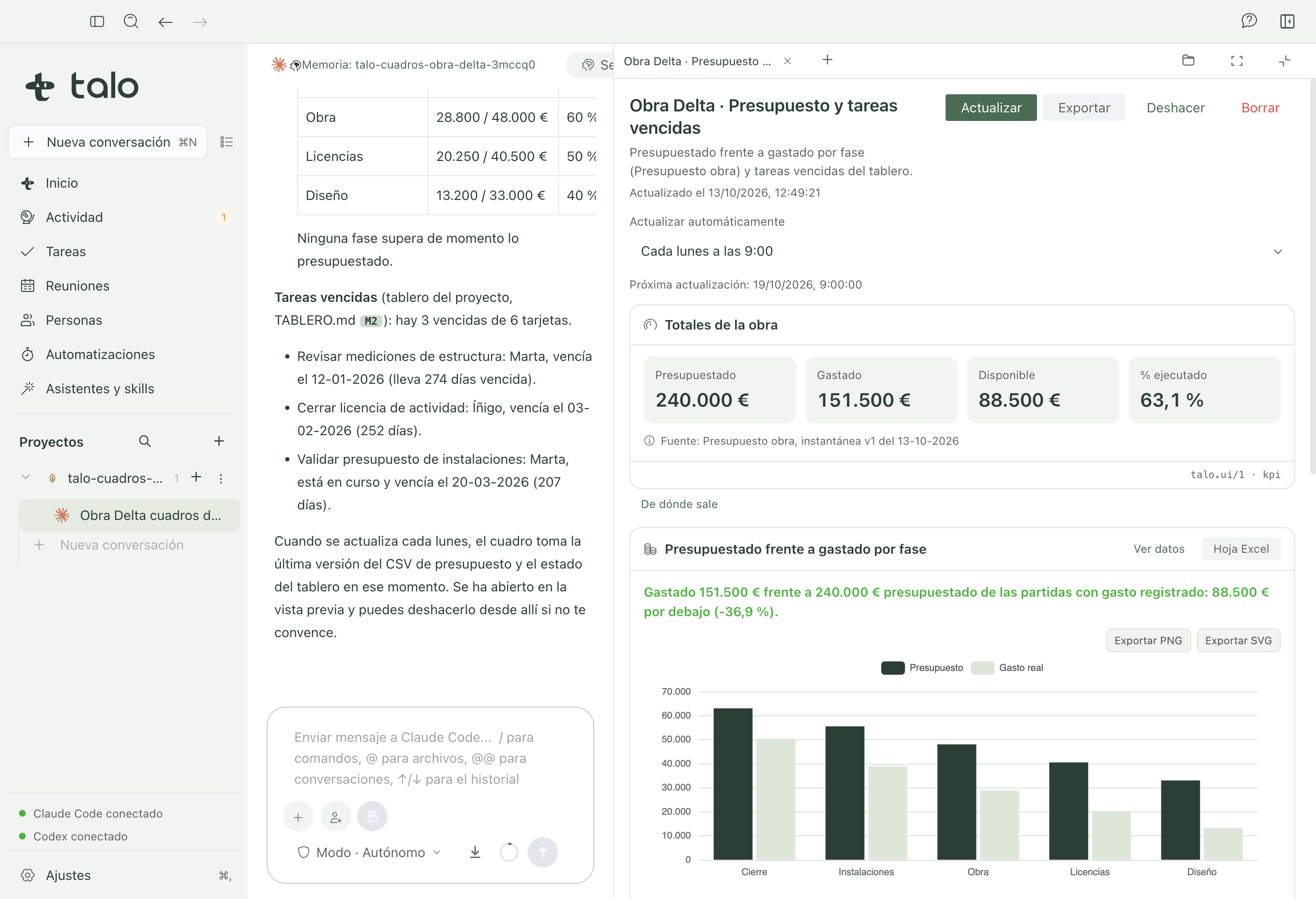
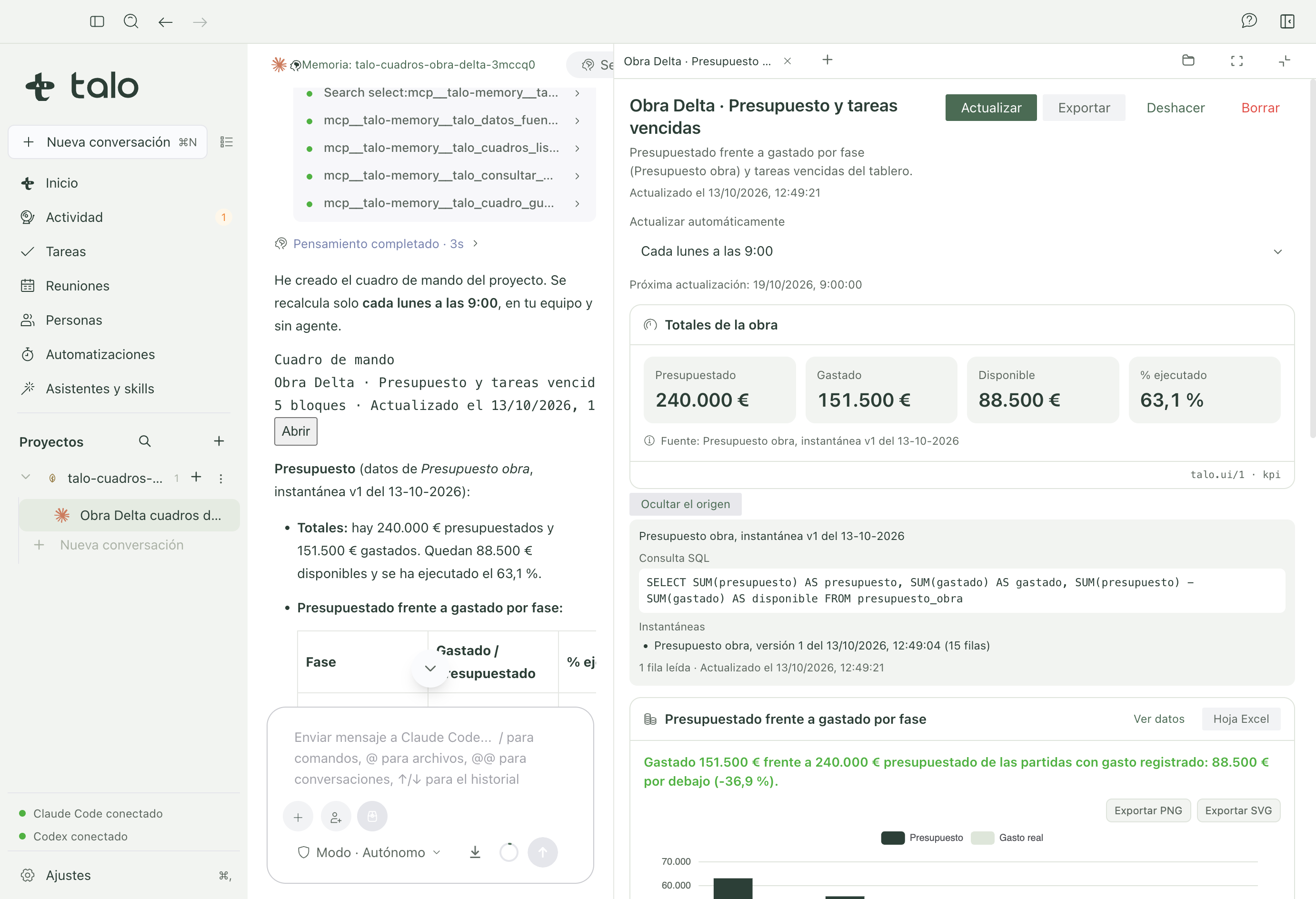
Revenue by phase

Revenue€240kM1
Spent€151.5kM1
On budget63%M1

Draft saved, not sent

Todiego@client.example

SubjectFollow-up: today's meeting

Hi Diego,
Confirming the 3 action items we agreed today, owners attached, and our next check-in on Friday.

Nothing sends automatically, you approve it.

Memory · active

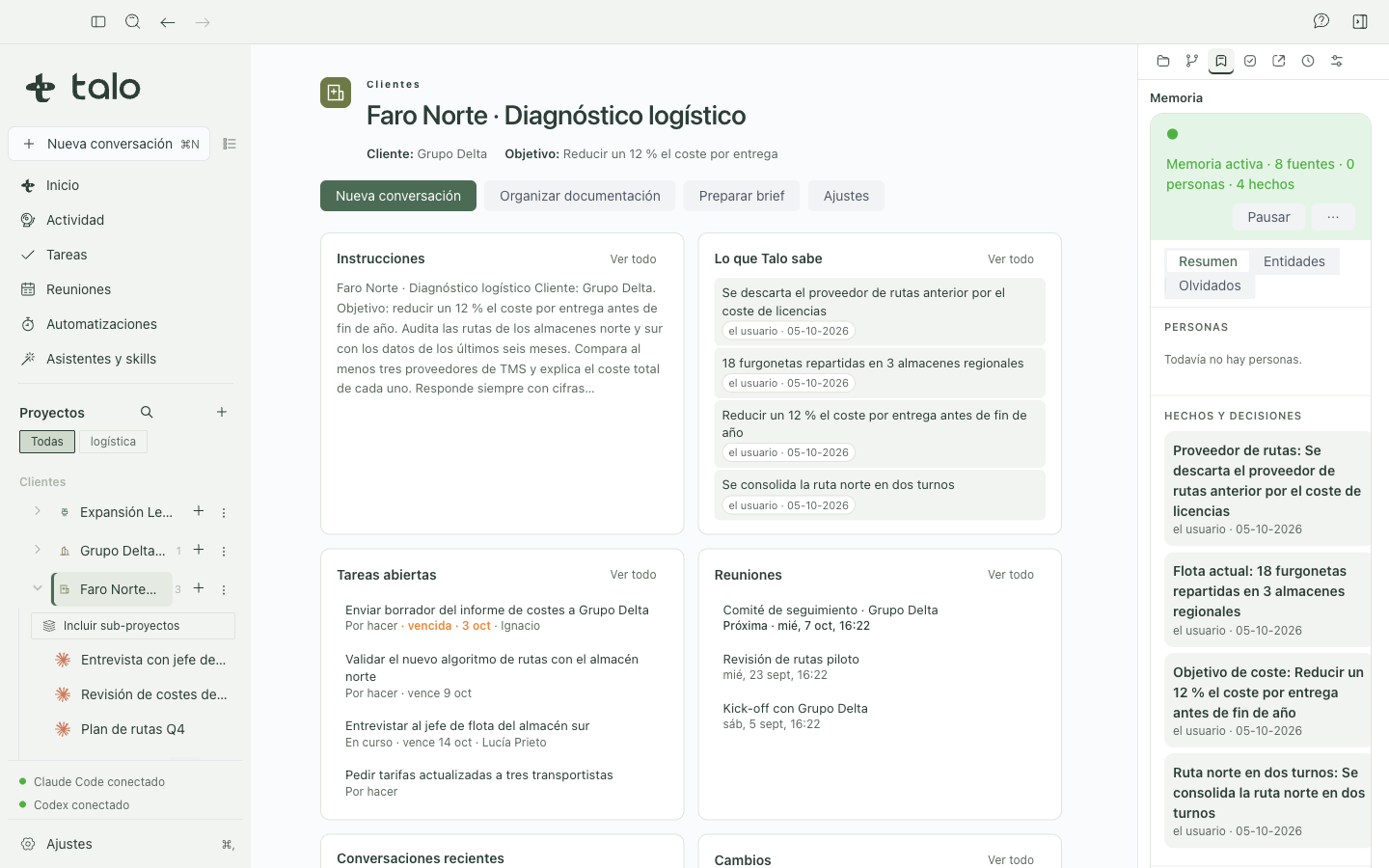
  • Decision updated: final budget now €61,500 M1
  • New task: send the revised proposal M2
  • Risk raised: delivery date at risk, confirm with client

Client video · Q3 close

September closeRevenue €1.2M · Gross margin 18%
1:58 / 5:15
“Q4 budget holds at €340,000, about 6% below plan.”
  • Meetings that follow up on their own

    Local transcription, then tasks, memory and a draft email in one close-out flow.

  • A memory that always cites its source

    Every answer opens the exact meeting, document or email it came from.

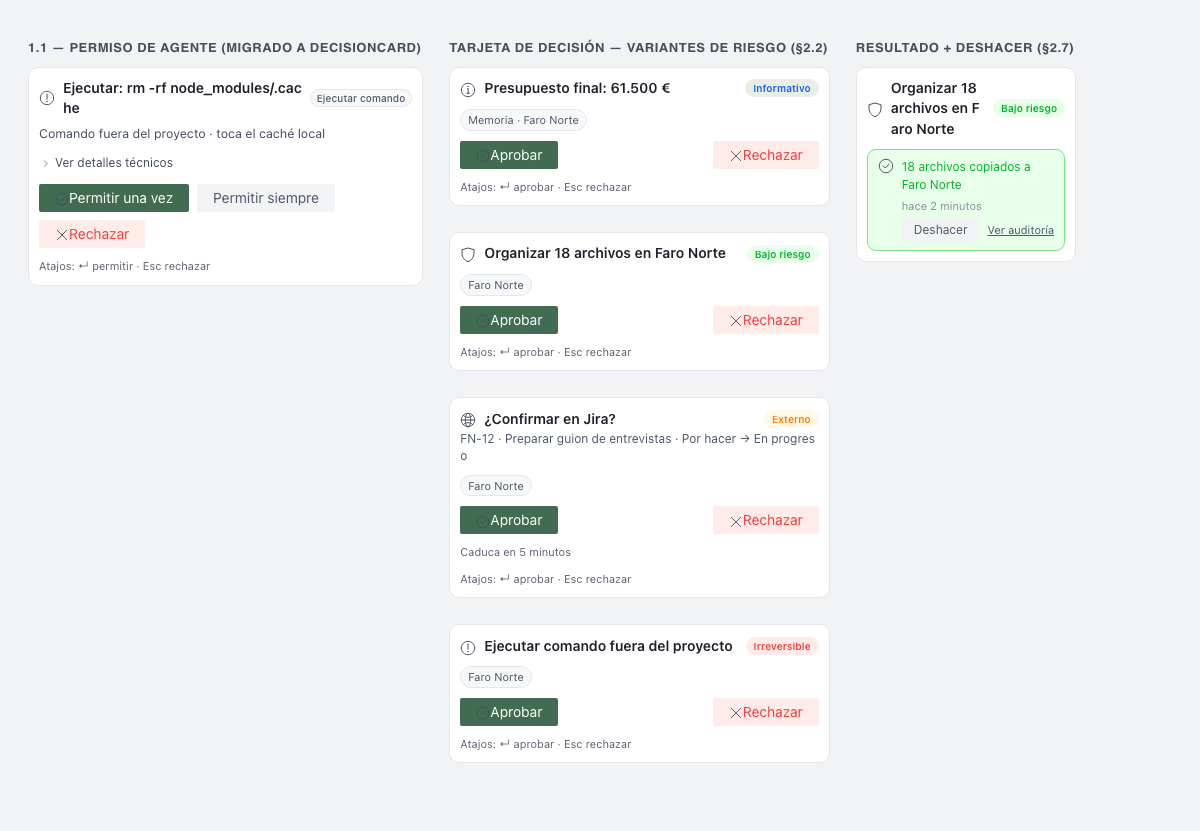
  • Nothing leaves without your OK

    Your data stays on your Mac; a decision card gates everything that doesn't.

  • Signed and notarized by Apple
  • Your data stays on your Mac
  • Works with Claude Code and Codex

Why a memory of its own

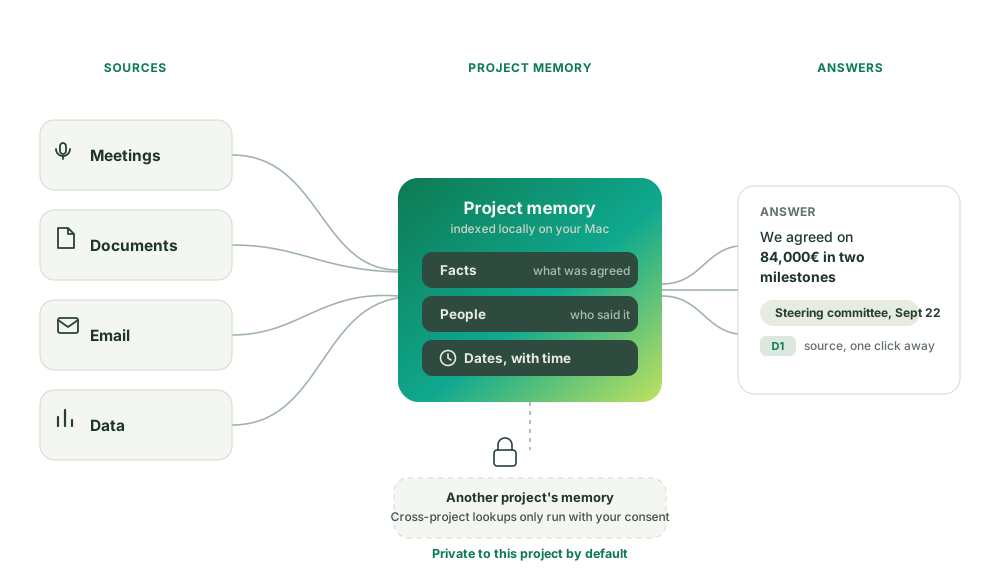
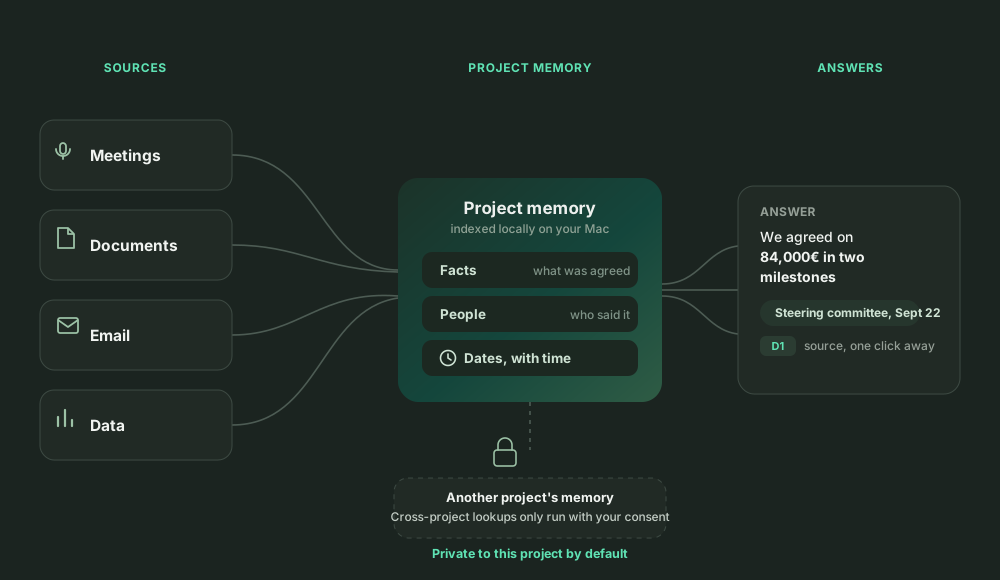
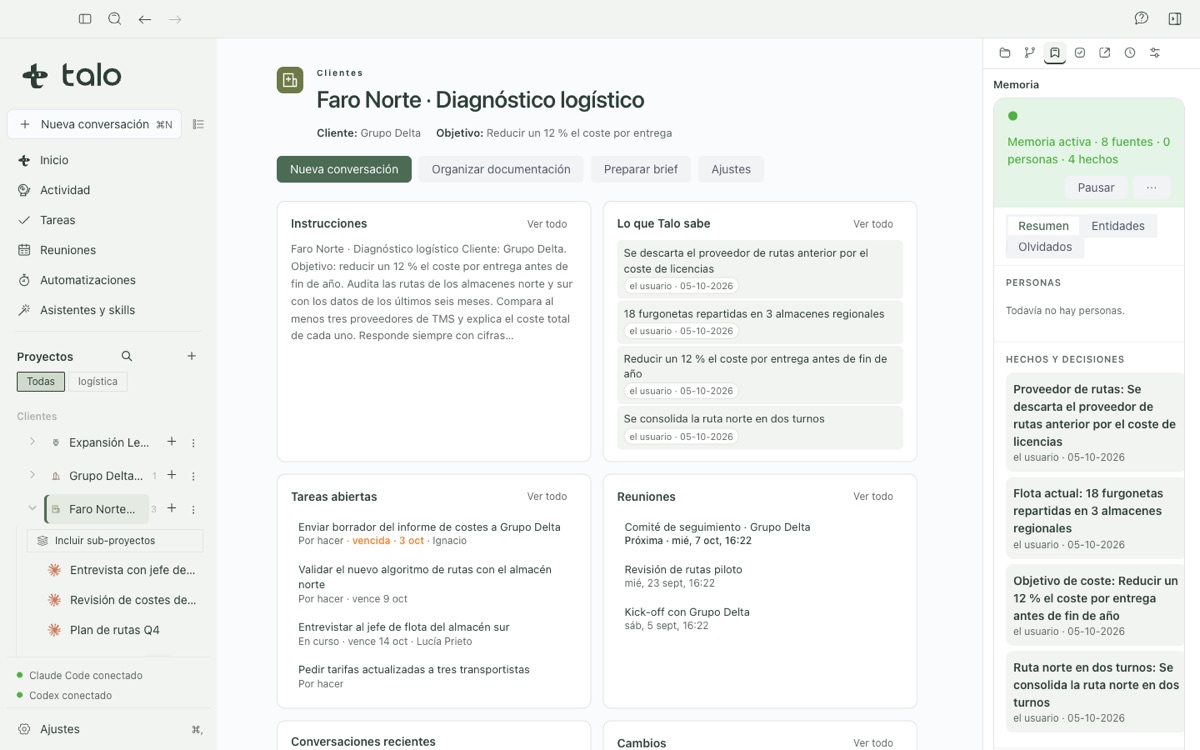
Every project gets its own memory

Meetings, documents, email and data flow in, get indexed locally, and come back out as answers with their exact source.

Diagram: meetings, documents, email and data feed a project's memory of facts, people and dates; every answer cites its source; cross-project lookups need your consent Diagram: meetings, documents, email and data feed a project's memory of facts, people and dates; every answer cites its source; cross-project lookups need your consent

What Talo does

Five things Talo is built around

Each one below is real and shipped today, not a roadmap slide.

Meetings

Meetings that record themselves, and follow up for you

Before recording, Talo requires you to notify attendees: a private meeting, or one without a confirmed project, never reaches an AI agent. Transcription happens live, locally, on your Mac, and a copilot answers mid-meeting questions with their exact source, never a guess.

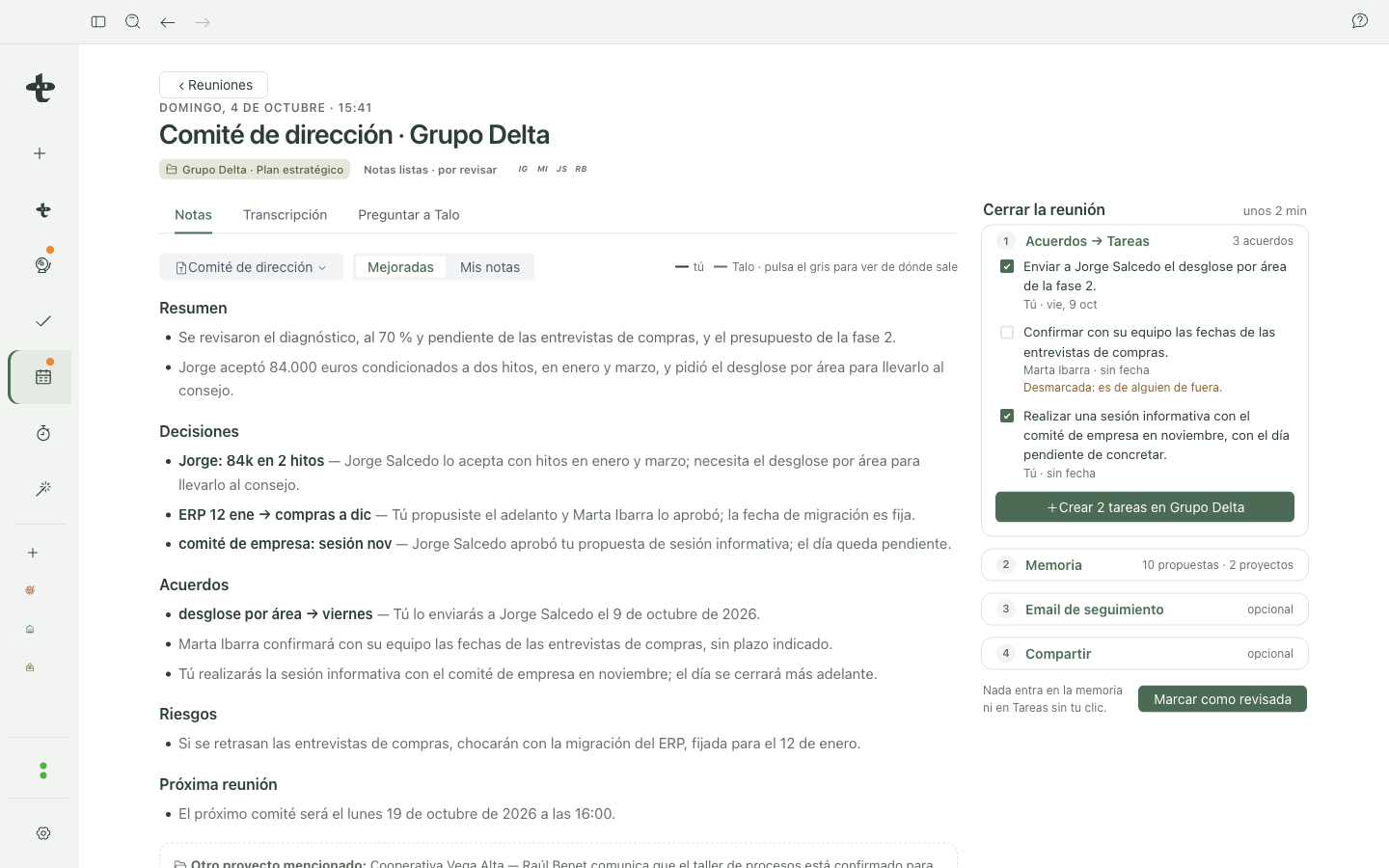
When you close a meeting, Talo walks you through follow-up in one place: turn agreements into tasks, save what matters to memory, draft a follow-up email, and optionally share the notes, each step opt-in, nothing sent without you.

  • Live, local transcription, audio never kept
  • Notes that cite the exact sentence they came from
  • One close-out flow: tasks, memory and a draft follow-up email
Real video, also in Spanish.

And also

See it work

From scattered meetings to one org chart

A real project, several meetings over a few weeks, and the stakeholder map Talo built from them automatically, each box traceable to the meeting it came from.

Real product video, also in Spanish.

Integrations

Works with the tools you already use

Two agent engines and the accounts, drives and databases Talo already connects to today, verified against the guide and the code, not a wishlist.

  • Claude Code
  • Codex
  • Gmail
  • Outlook / Microsoft 365
  • Any IMAP account
  • Google Drive
  • iCloud Drive
  • OneDrive
  • Dropbox
  • Box
  • PostgreSQL
  • MySQL
  • Excel, CSV & Parquet
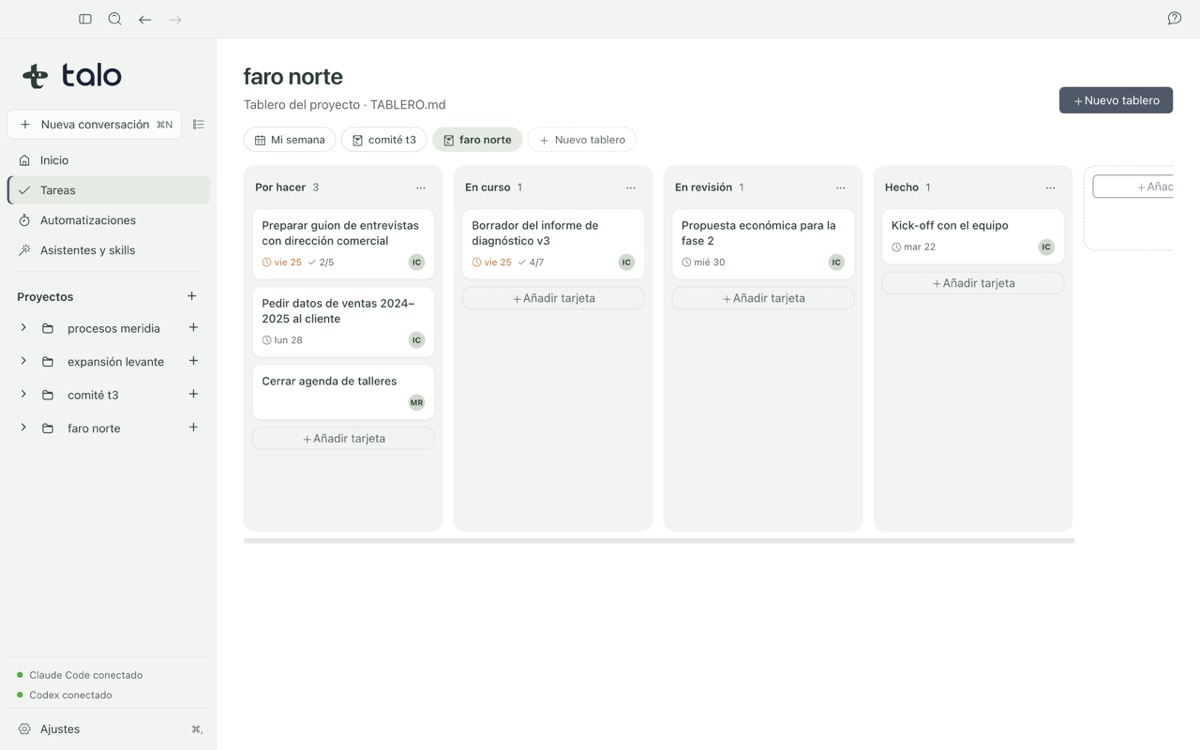
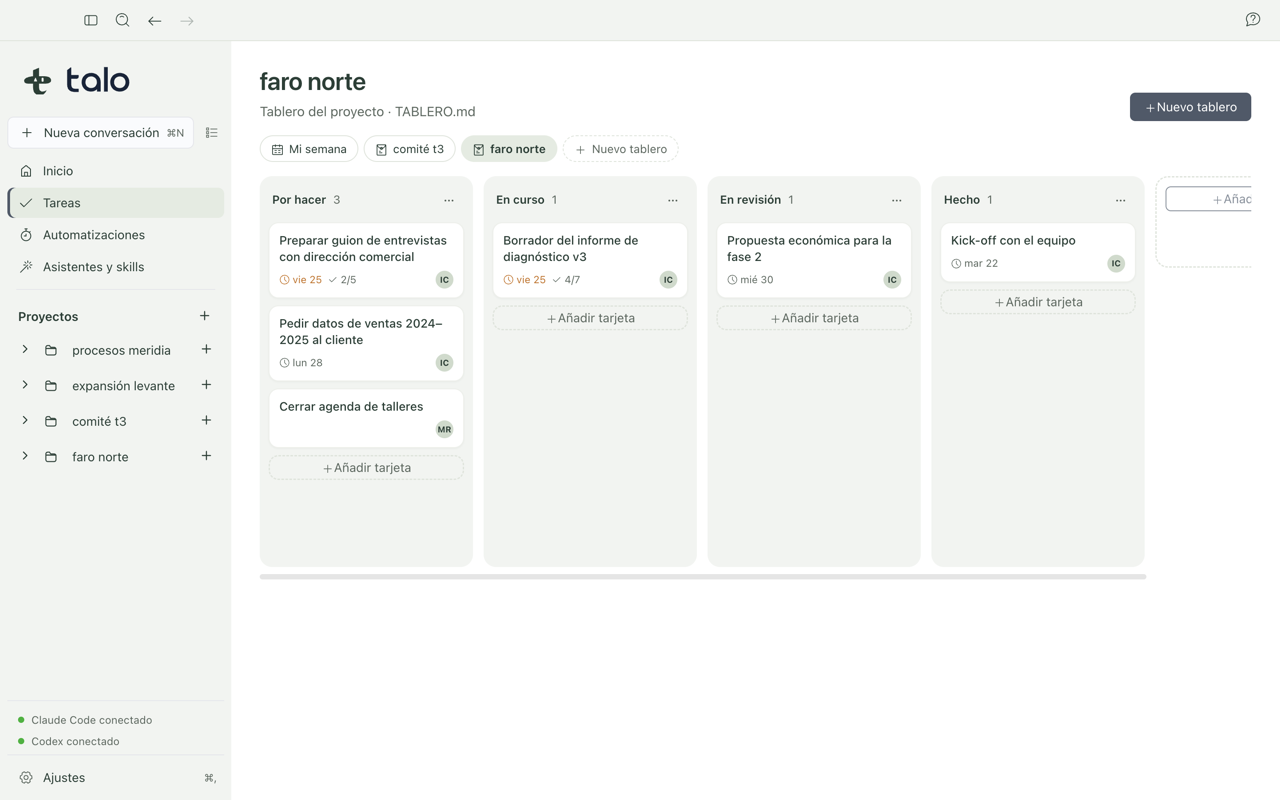
  • Obsidian Kanban

Security & privacy

Three promises, kept honestly

The short version lives here. The full, verified detail, including the one thing we corrected while writing it, lives on its own page.

  • Your data stays on your Mac

    Projects, documents, the memory index and meeting transcripts live locally. Audio is never kept.

  • Nothing leaves without your OK

    The browser, automations, skill installs and sending an email all show the same decision card before anything happens.

  • Signed by Apple, and honest about the rest

    Every build is signed and notarized. Crash reports are optional, never with paths, names or content.

Read the full Security & privacy page

One Mac, every project, nothing hidden.

Private beta for Apple Silicon Macs.

FAQ

Common questions

More detail on every answer below, plus step-by-step screenshots, lives in the full user guide. full user guide.

Do I need to know how to code to use Talo?

No. You write what you need in plain language and the agent produces documents, boards or other deliverables inside your project.

Does data mix between my projects?

Not by default. Talo keeps memory, instructions and conversations separated by project; cross-project lookups require your explicit consent.

Can an automation ever run without my review?

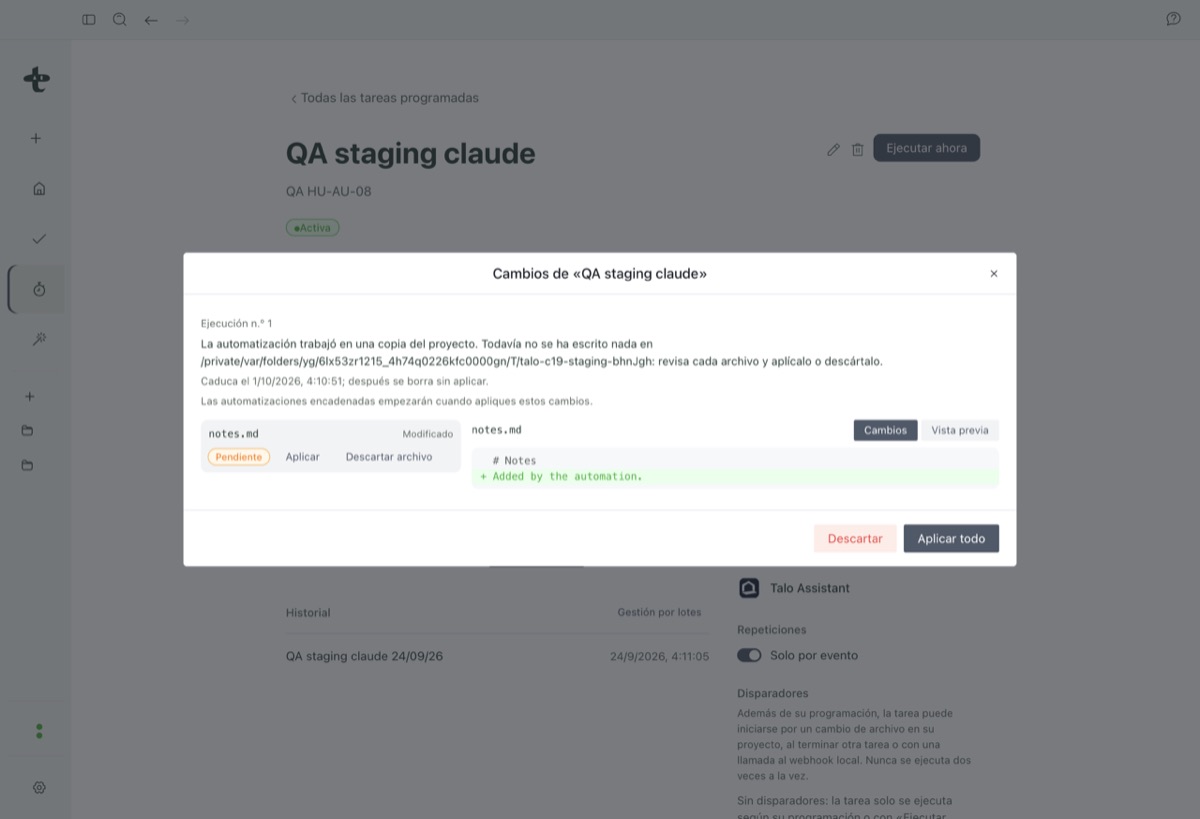
No. It starts paused, runs on a copy of the project, and changes stay "pending review" until you open the diff and press Apply.

What does Talo connect to?

Claude Code or Codex as your agent, plus Gmail, Outlook or any IMAP account for email, Google Drive, iCloud Drive, OneDrive, Dropbox or Box as local cloud folders, PostgreSQL and MySQL read-only, and spreadsheets in Excel, CSV or Parquet. See the integrations above.

Can I use Talo offline?

Partly: documents, diagrams and the whiteboard are local. Talking to the agent needs a connection, because Claude Code and Codex call their model over the internet.

Something not working? See how reporting a problem works, no account needed.