

Data & dashboards
Ask for a chart, get a dashboard with its sources
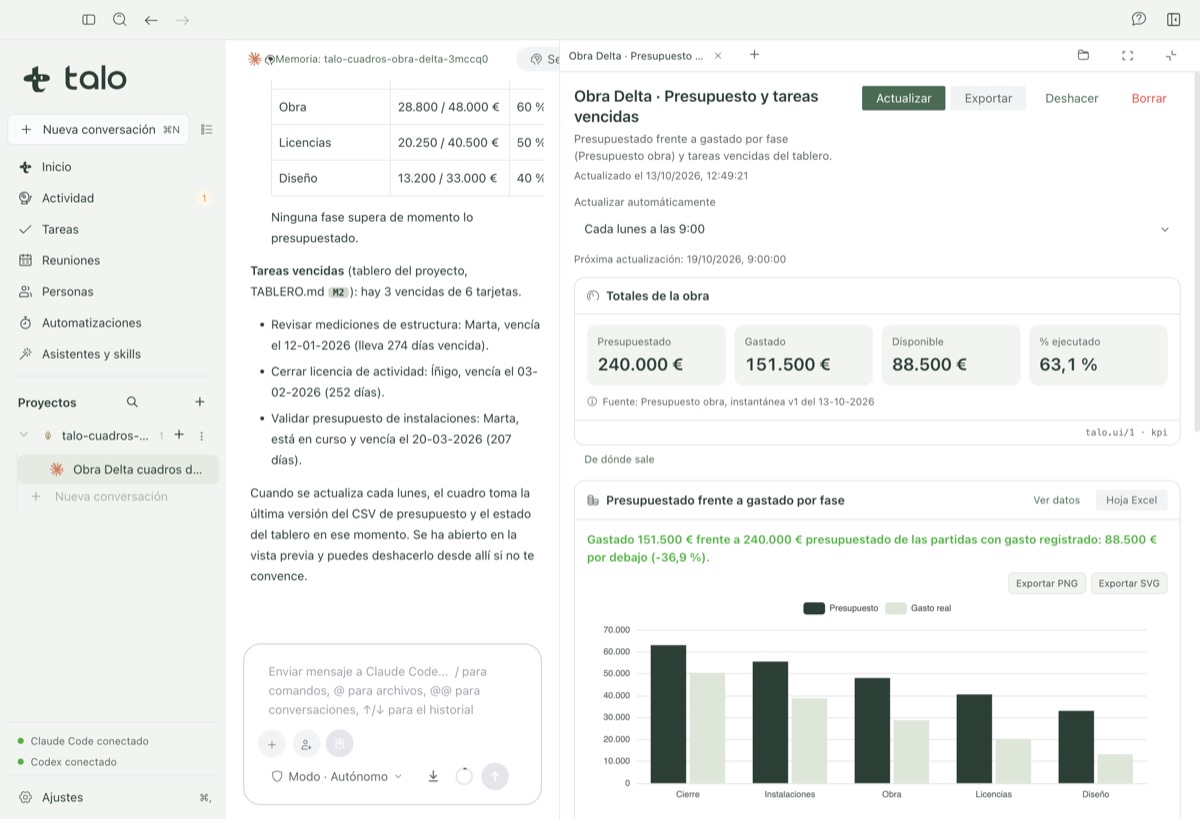
Budget by phase, a risk matrix, a Gantt with its critical path or a stakeholder map, built from your project’s own data, not a sample. Interactive in the chat, nothing writes on its own.
-
01
Built from your project’s real data
Excel, CSV, Parquet or a read-only PostgreSQL/MySQL connection, never a sample dataset.
-
02
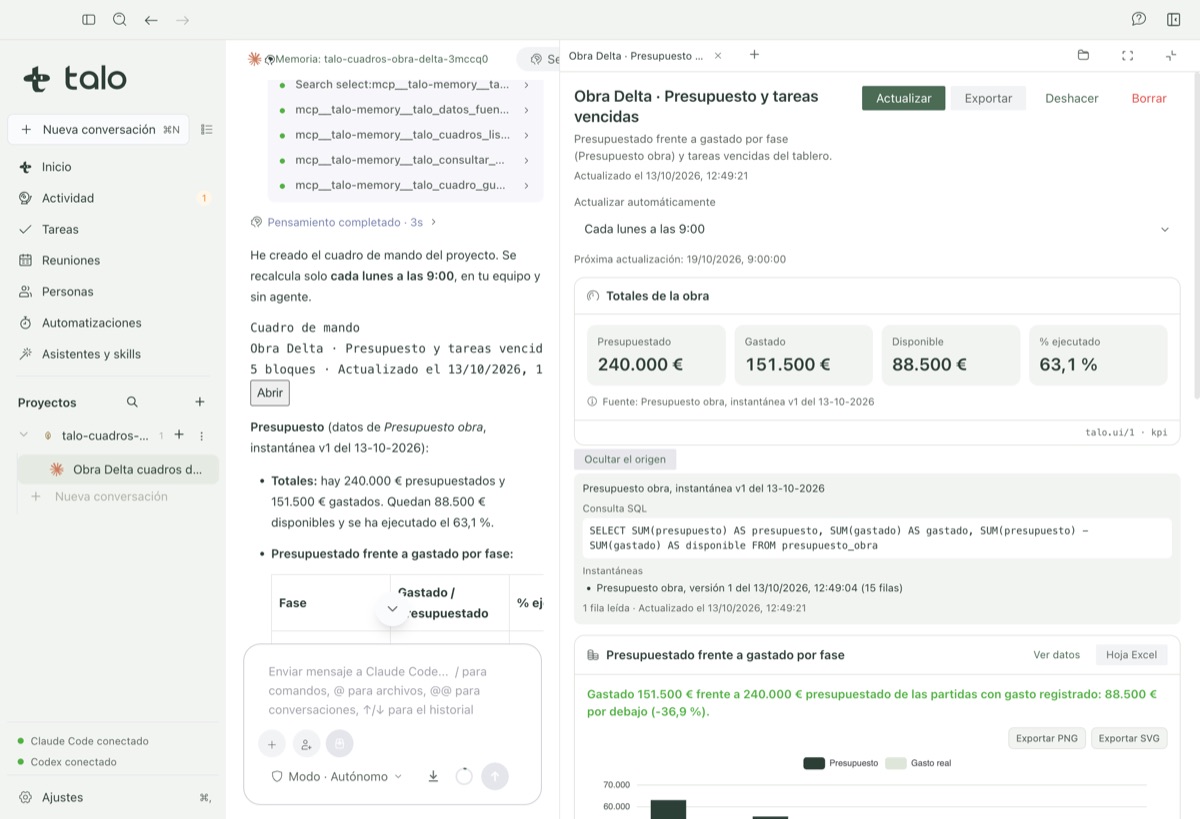
Every figure traces back to its source
Click a risk or a KPI and see the exact row or quote it comes from, with "View data" and export to Excel or an image.
-
03
Interactive in the chat, nothing writes on its own
Move the weights of a decision matrix or a "what if…" and it recalculates on your Mac; "Create tasks" or "Save to People" show you what will change before it does.
Where the data comes from
Ask for a chart and it appears in the answer, built from your project’s data: budget by phase against spend, the status traffic light, the risk matrix, the Gantt with its critical path or the stakeholder map.
They are not pictures: you can touch them. Click a risk and see the quote it comes from; move the sliders of a "what if…" and the result is recalculated on your Mac, with a closed formula engine that never runs the agent’s code.
See it in action