
Skills & agents
Extend Talo safely, one reviewed install at a time
A skill teaches your assistant a specific way to work: meeting notes, a steering committee, a report template. Installing one is always your decision, with explicit confirmation.
-
01
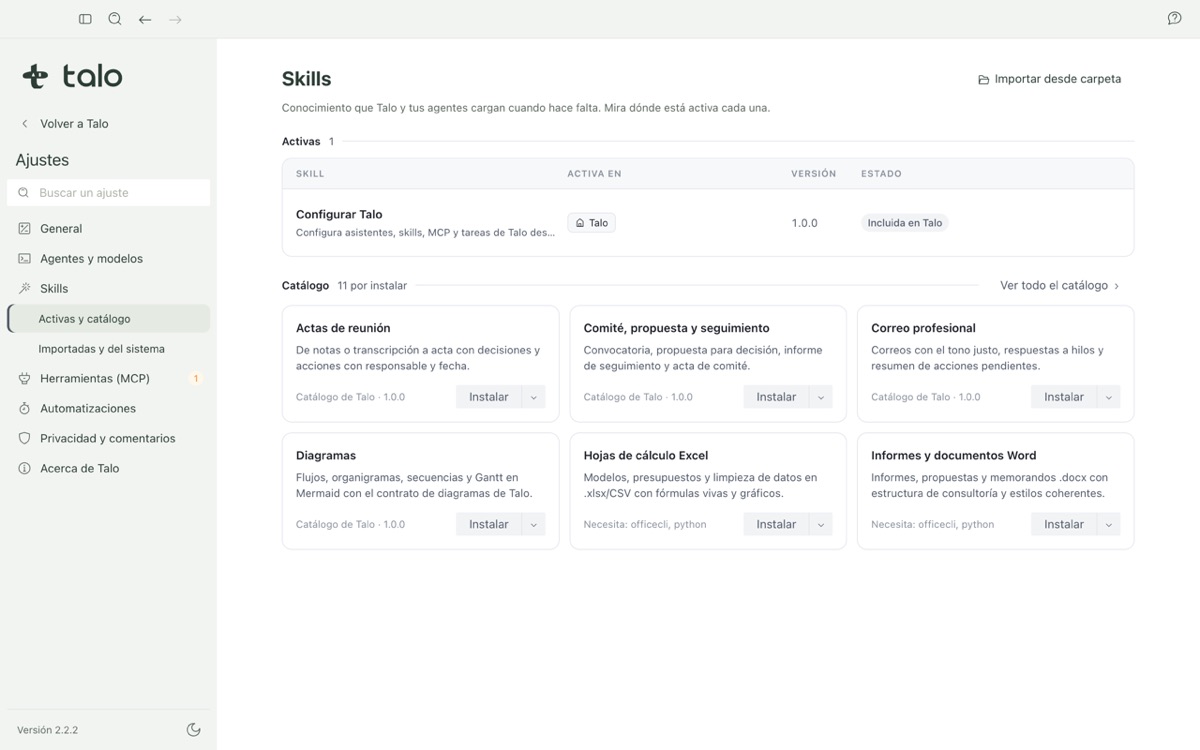
A catalog built into the app
Over a dozen consulting skills ship with Talo; none are active by default, and the catalog works with no internet connection.
-
02
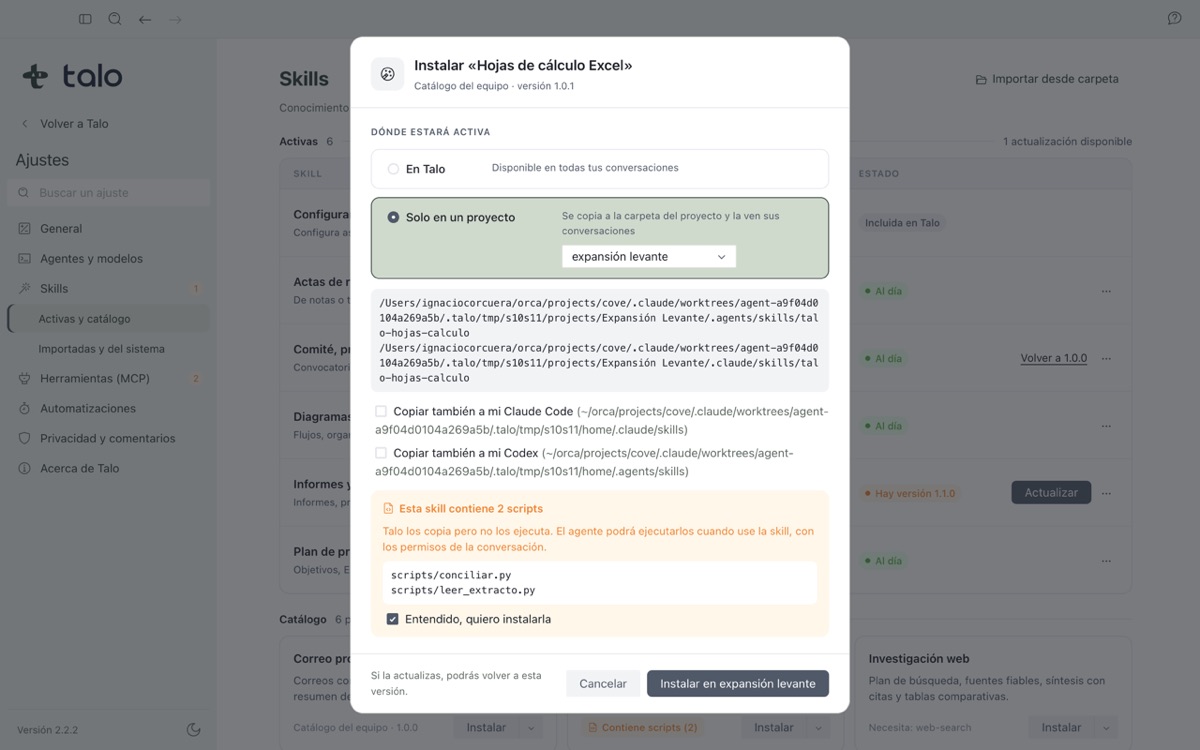
In Talo, or scoped to one project
Install a skill for every conversation, or only inside one client’s project, when a way of working isn’t universal.
-
03
Update, revert, or remove, never silently
Talo keeps the version an update replaces so you can revert it, and stops offering updates once you’ve edited a skill yourself.
Install from the catalog, with a clear warning
In Settings › Skills, search the catalog, click "Install" and choose where it applies. If a skill includes small programs that run on their own, Talo lists what each one does before you can continue.
Installing a skill is always your decision, with a click and explicit confirmation; Talo never installs or activates one on its own. The same discipline applies to adding an MCP server from the official registry.