
Projects & tasks
Every project is a folder, with its own board
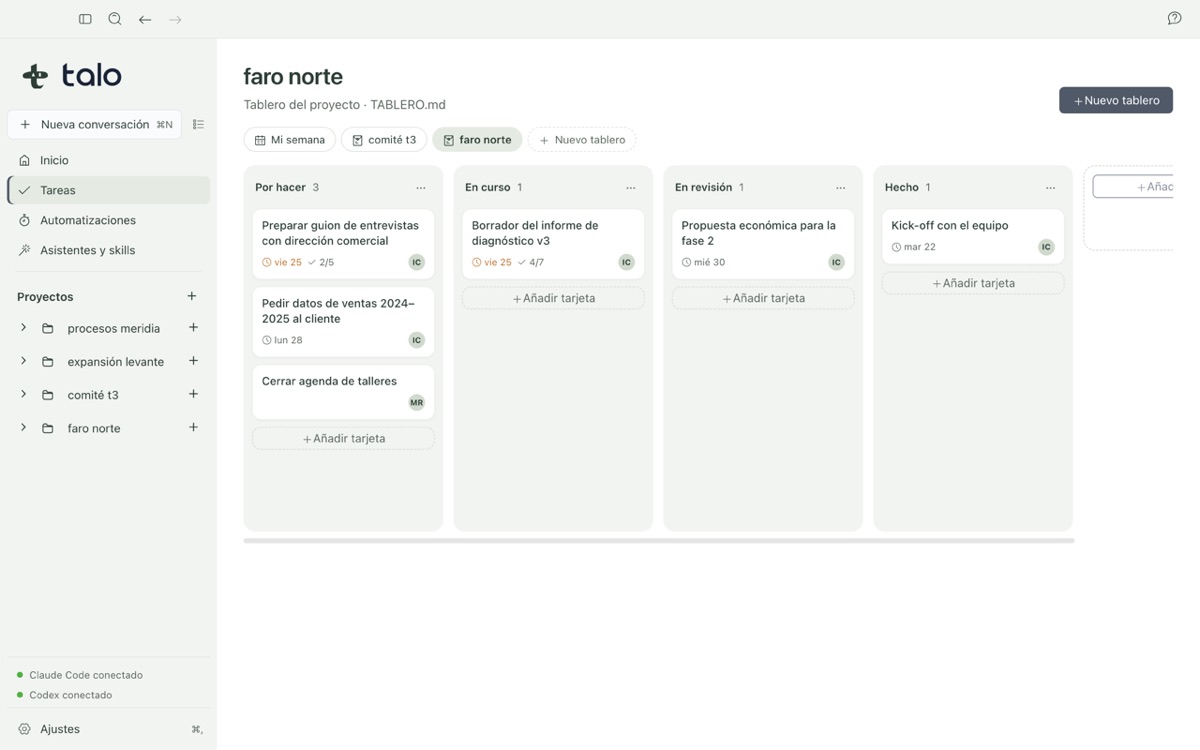
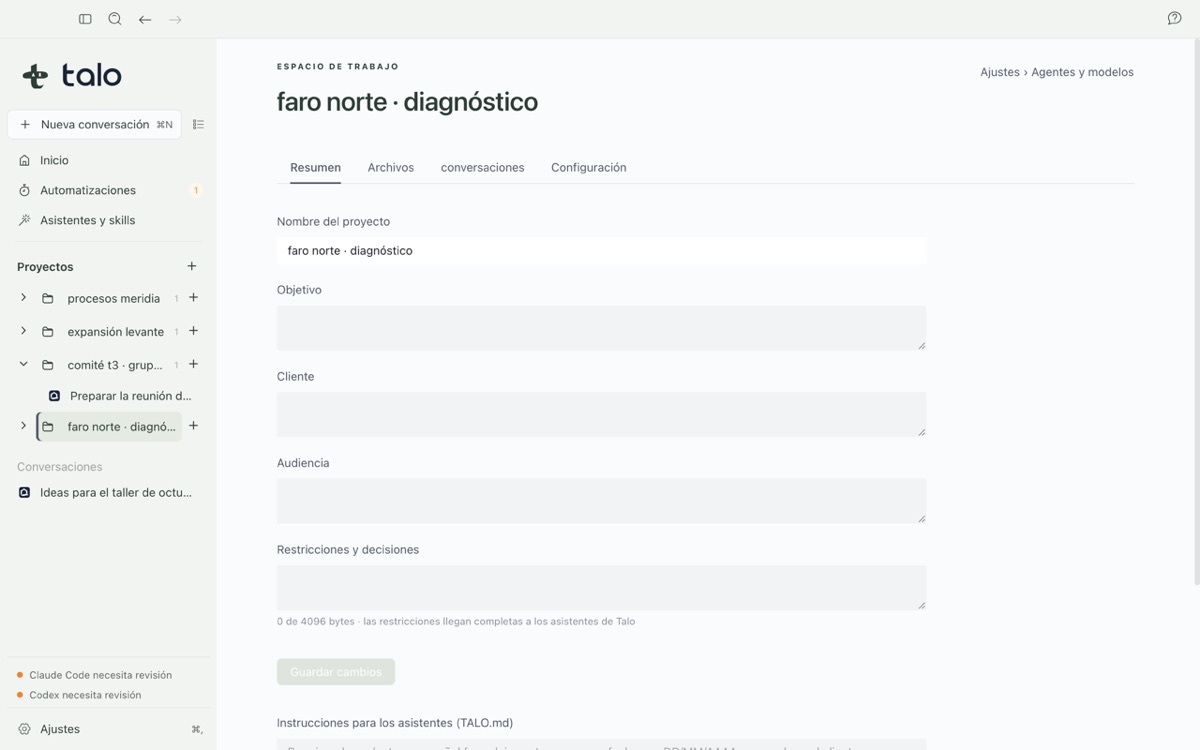
A real folder on your Mac with a brief and a context file, and a task board compatible with Obsidian Kanban. No black boxes.
-
01
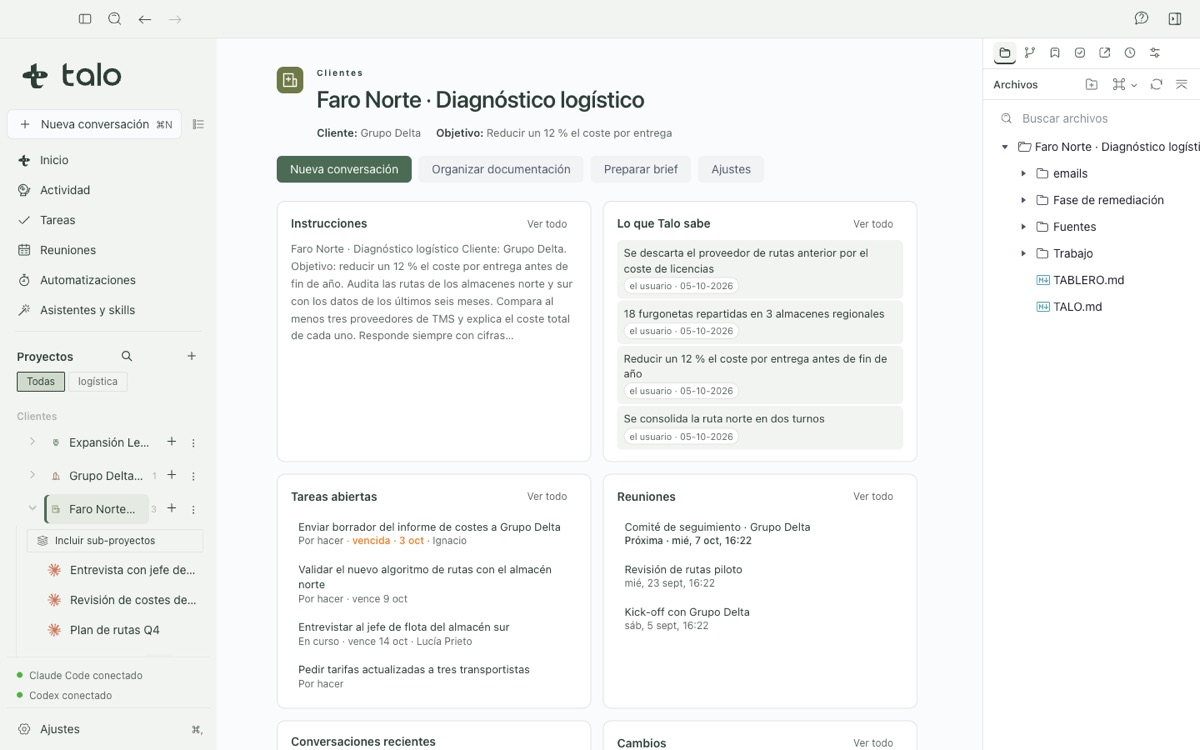
A real folder, nothing hidden
Create a project and get a folder on your Mac with a card, a TALO.md context file and a file explorer, or import one you already had: Talo copies, never moves, the original.
-
02
Context that survives every session
TALO.md holds how to work with this client: tone, format, signature. Every conversation reads it first, with Claude Code or with Codex, so you never repeat yourself.
-
03
A board you can open in Obsidian
Tasks live in TABLERO.md, a plain text file compatible with Obsidian’s Kanban plugin. The assistant can propose cards, but it never writes the board file itself.
The project card and TALO.md
Each project has a card with four fields: objective, client, recipients and constraints, the business card any assistant keeps in mind without you repeating it. Organize projects into collections, like "Client X", and tag them for quick search.
TALO.md is a simple text file where you write the tone, document format, signature and any other custom practice for the engagement. Only you write in it: the assistant can read it and quote it, even help you draft it, but saving is always your action.
Ask Talo to propose the board, you decide what sticks
From a kickoff meeting note, "Ask Talo" returns a proposal of columns and cards: each one cites the document it comes from, keeps the real dates, and says explicitly when there’s no clear assignee instead of inventing one.
From a card’s details, "Work on this with Talo" opens a conversation with that card’s context. The assistant is technically blocked from writing TABLERO.md directly; if it tries, Talo denies it. You’re always the one who moves what you decide onto the board.