

Meetings
Meetings with notes that cite their source
Live, local transcription while you meet, and a guided close-out afterwards: tasks, memory and a follow-up email, with nothing sent without your decision.
-
01
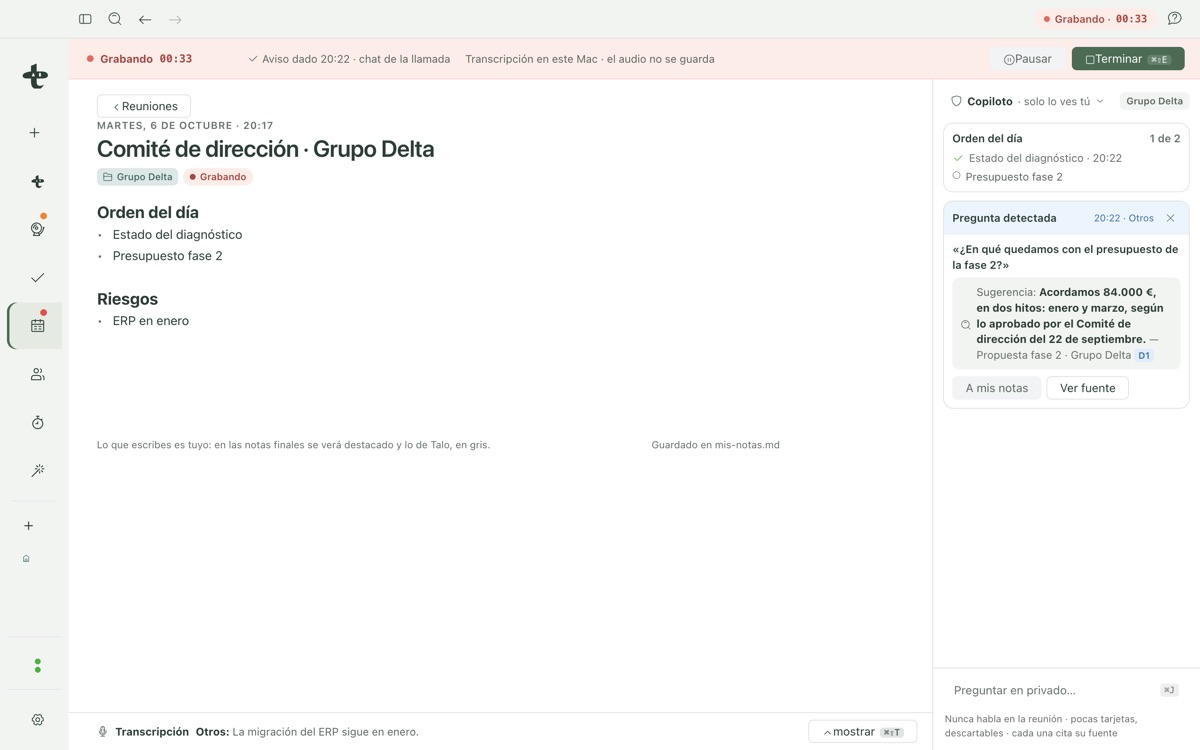
Live, local transcription
Transcription appears while you meet, on your Mac. Audio is never saved, only the text.
-
02
Notes that cite their source
Every line Talo adds links back to the exact transcript sentence it came from. What you wrote stays visually distinct from what Talo adds.
-
03
A close-out that does the follow-up
Turn agreements into tasks, save facts to memory, draft a follow-up email and optionally share the notes, each step opt-in.
Recording: notified, local, and answers mid-meeting
Before recording starts, Talo requires you to notify attendees, a chat message or a line to read out loud. A private meeting, or one without a confirmed project, never reaches an AI agent.
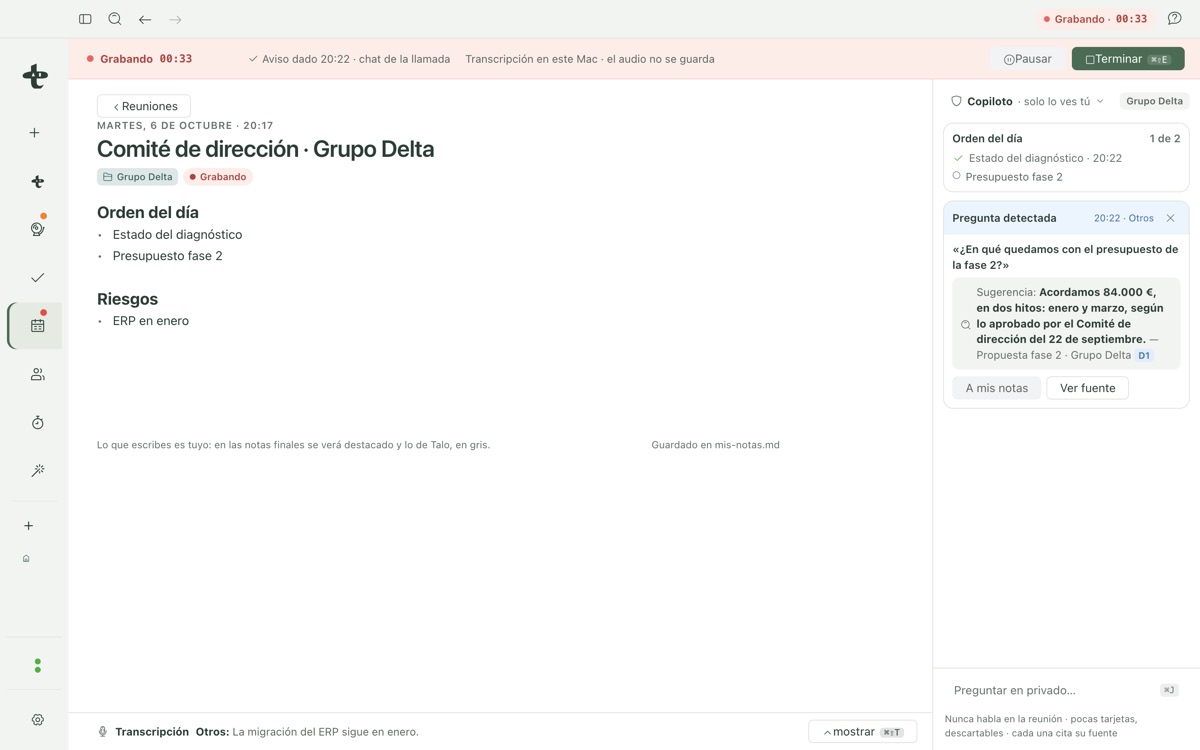
A copilot panel, collapsed by default, only speaks up when the project’s memory, documents or tasks can answer a detected question with a real source. Ask "what did we agree on the phase 2 budget?" mid-meeting and get the answer with the exact meeting and date it came from, never a guess.
Follow-up: close the meeting, not just end it
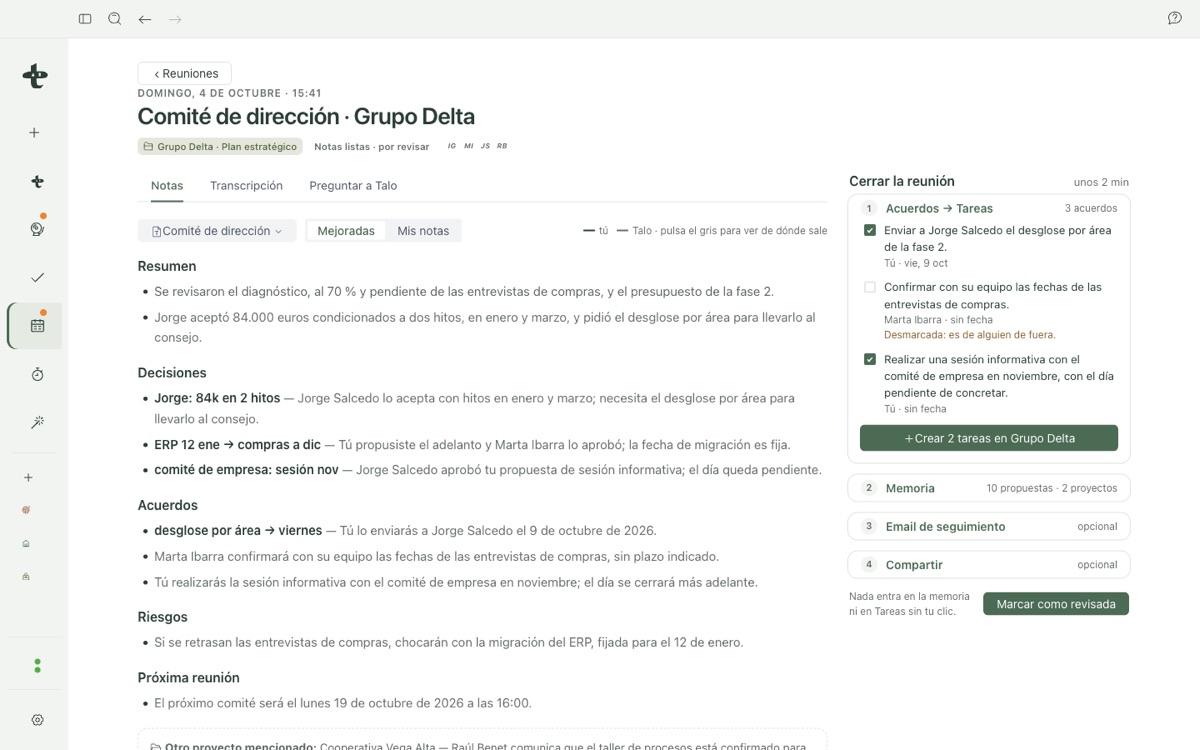
When you finish, Talo writes notes from a template: a summary, decisions and agreements, each citing the exact sentence it came from.
Closing the meeting walks you through four optional steps: turn agreements into tasks, save what matters to the project’s memory, draft a follow-up email, and share the notes if you want to. Nothing happens until you act on each card.
See it in action