

Talo Guide
People
Your directory of people you work with, their profile in three layers, and the rules that prevent mixing clients.
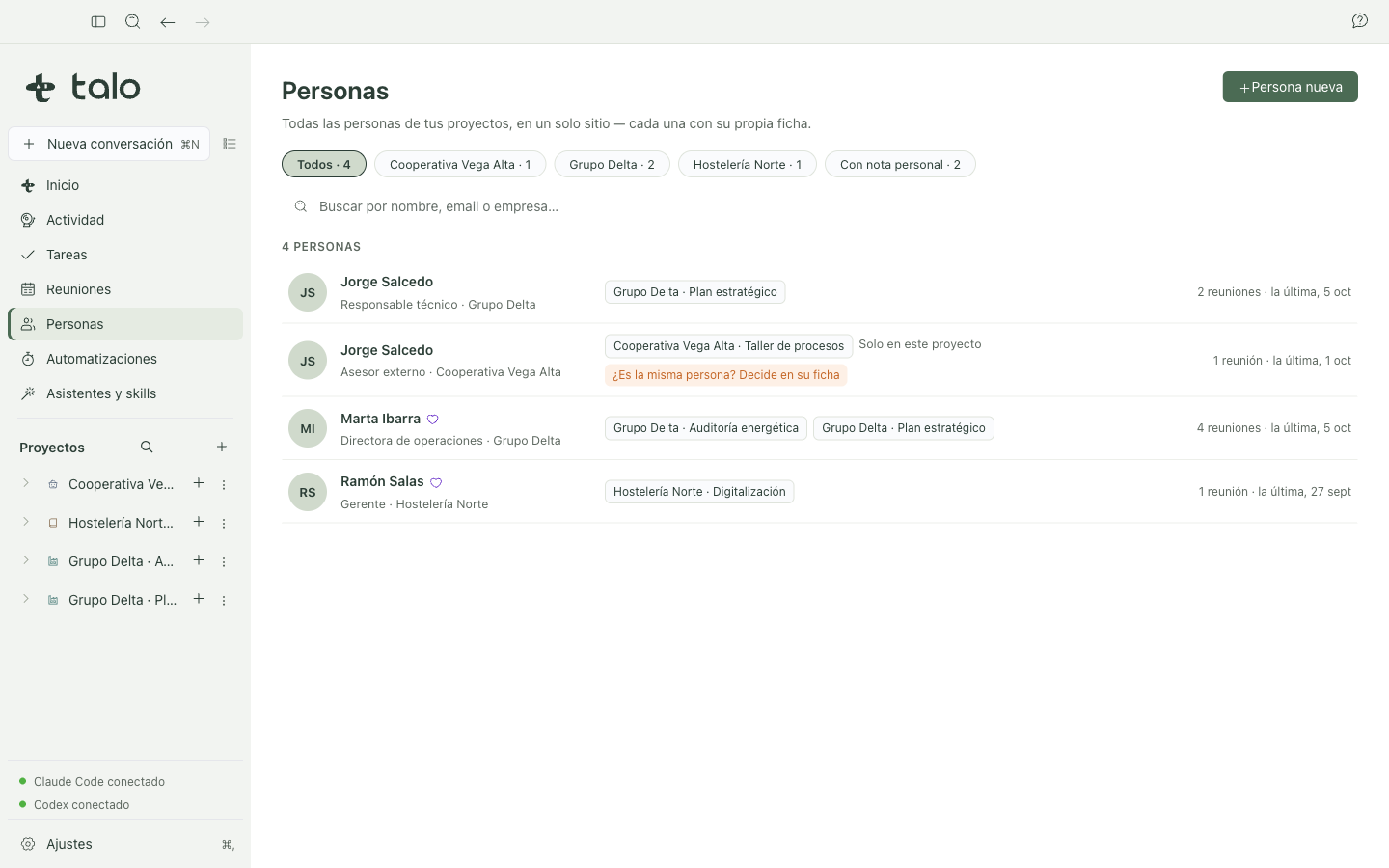
"People", in the sidebar right after Meetings, is your directory of all the people in your projects: one row per shared card, with filters by client and by "Has personal note", and search by name, email, or company. A person from a project who doesn't yet have a shared card appears in their own row, marked "Only in this project": Talo never merges two people by guessing.
The profile: three layers
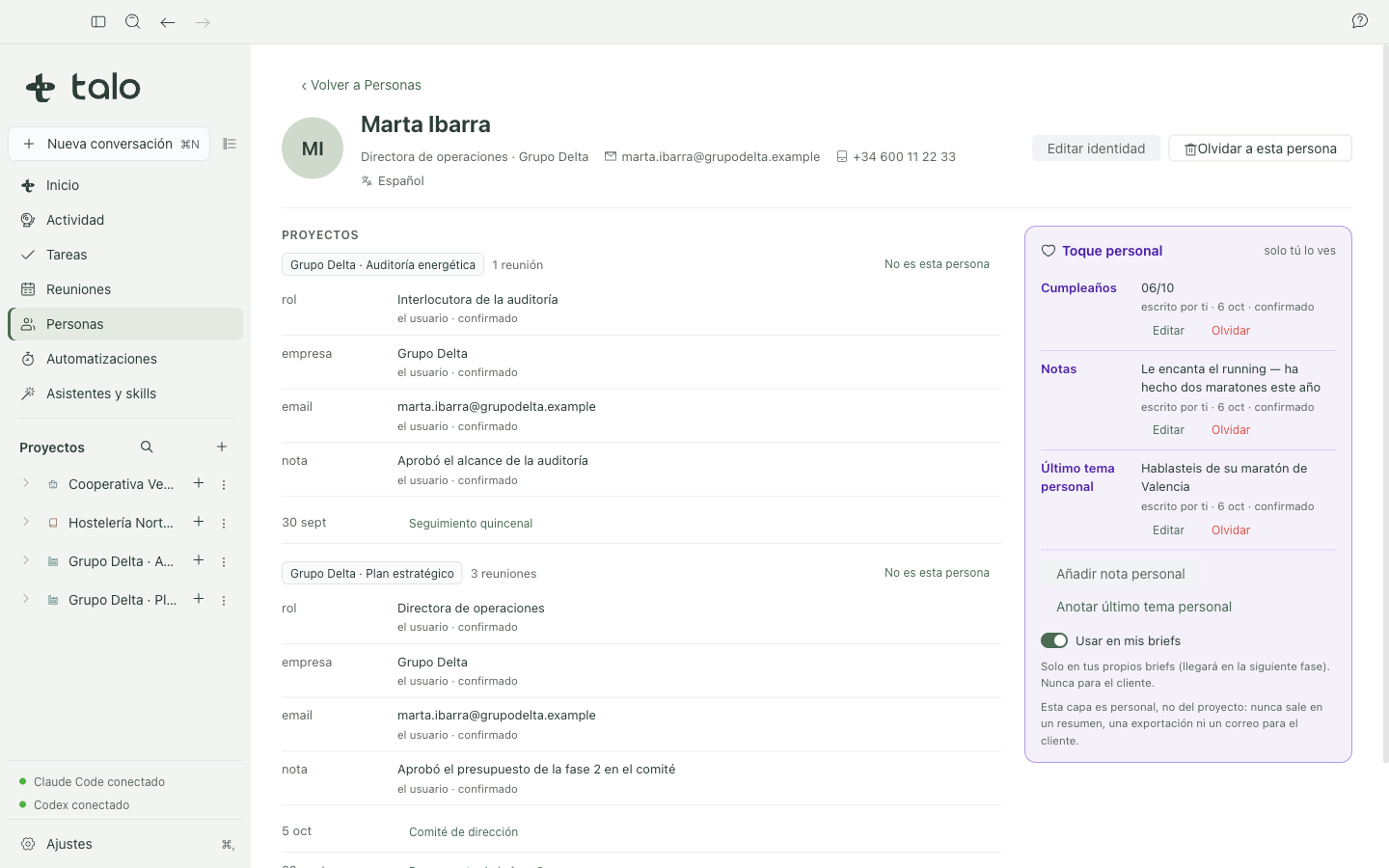
- Identity: name, title, company, email, phone, language, and work preferences. Shared
across your projects and edited by hand.
- Personal touch: birthdays, notes, and the last personal topic you discussed. Only you see it:
it has its own box, never mixed with professional information. Everything you write here is confirmed, with its source ("written by you · date"), and you can edit or forget it anytime. A per-person toggle, "Use in my briefs", decides whether that personal touch appears when you prepare a brief for the next meeting.
- Project: what each project's memory knows about this person (role, company, notes…), with
its source, and the last meetings you had with them, always tagged with the project it belongs to.
One client doesn't see another client's data
This rule is enforced by Talo's core, not just the screen:
- Two projects from the same client see each other, each with its own label.
- Projects from another client: their facts about this person never appear in the same view.
The profile shows one client at a time, with a button "See <another client>" as an explicit change; opened from within a project, it doesn't even name the other clients.
- A project with no assigned client (or the General inbox) is its own island.
Link two cards, always with your confirmation
If Talo detects that a person in a project might be the same one you already have in the directory, it asks you with the decision card ("Is this the same person as Jorge Salcedo?"). It never decides for you, even if the email matches exactly. The only signal that triggers the suggestion is an identical email; an identical name isn't enough. If you say no, Talo won't ask you again for that pair.
From within a project
Inside a project, the "People" tab (between Meetings and Settings) and the "Who you work with" card in the summary open the profile already filtered to that project's client.
Birthdays, no AI
The Home screen shows in "Today" the birthdays of the next 7 days of people you already work with: a profile linked to a project or a shared meeting. It's a date comparison with your local calendar, with no model involved, and stays silent if there's nothing to show.
Sensitive data
If you manually write something about a person's health, religion, ideology, orientation, or union affiliation, Talo warns you before saving it: you can keep it, but it stays marked "Sensitive data · outside AI" and is never included in what an assistant sees or in a brief, even if you've turned on "Use in my briefs" for that person.