

Talo Guide
Prepare a diagram for a meeting
How to ask the assistant for a diagram from the conversation, fix it, edit it, and bring it ready to a meeting.
You've been talking to the assistant about a client process and want to bring it to the meeting as a diagram, not as text. Talo can generate it, fix it if it's broken, and have it ready to export.
Steps
- In the project conversation, ask for something specific: "create
process.mmdwith
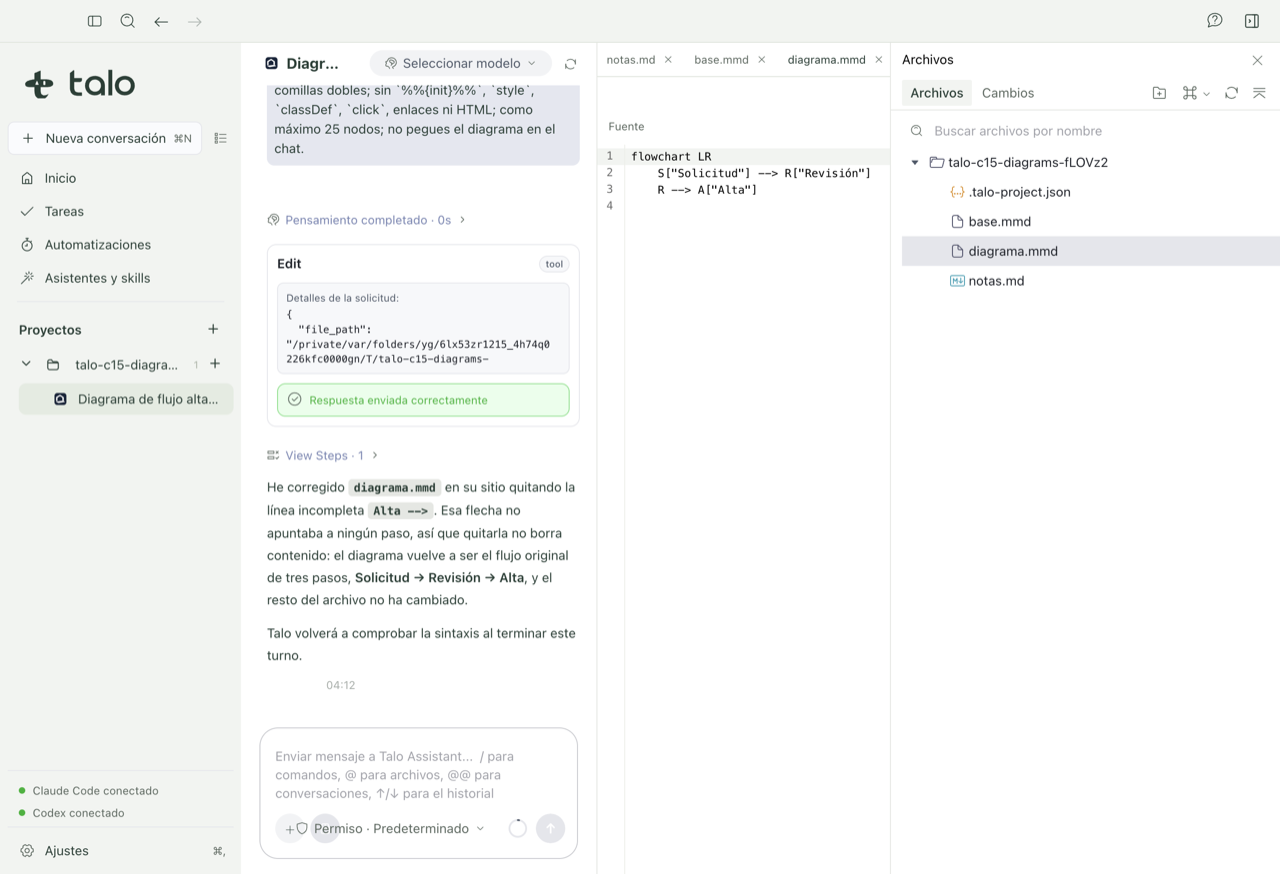
the Request → Review → Approval flow we've discussed". The assistant writes the file and the viewer draws it next to the text.
- If the assistant leaves a line with a syntax error, you don't have to fix it yourself:
Talo returns it automatically for the assistant to fix (up to two tries). If it still doesn't work, you'll see a notice and can ask for a specific change to restart the try.
- With a valid diagram, review it in the viewer: use the zoom controls (zoom in, zoom
out, fit, 100%) to check that it reads well.
- If you want to make a small change without rewriting the whole prompt, use the "Ask
for a change…" box in the viewer or the "Ask Talo to fix it" button: the request is written to chat for you to send.
- Check the diagram in light and dark if you're going to project it or share it as an
image, to make sure it reads both ways.
- Export to PNG or SVG from the viewer to take it to your presentation, or ask the
assistant to put it straight in the report document with "insert in a Markdown document": it ends up as a diagram block inside the document, and if you insert it again later, it updates without touching the rest of the text.
Note
The diagram lives as a normal .mmd file inside the project folder: you can close it and reopen it from the explorer without losing anything. All the detail about editing, zoom, export, and the whiteboard is in Documents, diagrams, and whiteboard.
If you prefer to sketch the diagram by hand in a workshop during the meeting instead of just showing it, you can create a copy on the whiteboard from the same .mmd: the original stays unchanged and the copy is ready to draw on.