

Talo Guide
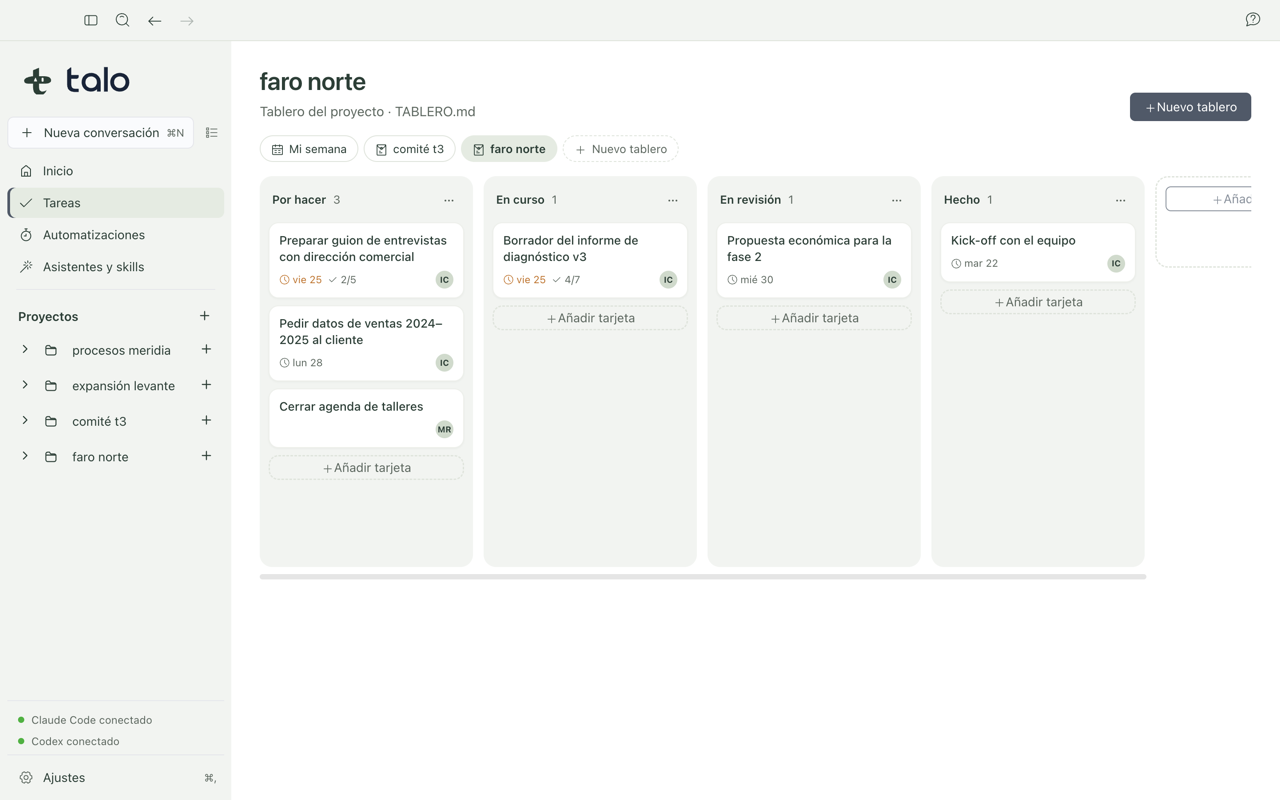
Board from meeting minutes
How to turn meeting minutes into a task board with columns and cards, reviewing before creating anything.
You just had a kick-off meeting with the client and you have minutes with dates and assignees. Instead of building the board by hand, you can ask Talo to propose it from that document and decide what goes in.
Steps
- Make sure the minutes are a project document. If you have them in another format, create
them as Markdown from the content panel with "+" → "Markdown Document" and paste the content; see Documents, diagrams, and whiteboard for more detail on editing and saving documents.
- Go to Tasks and choose "Ask Talo". Mark the kick-off minutes as the source and wait:
the assistant reads TALO.md and the minutes to propose columns and cards.
- Review the proposal carefully. Each card quotes where it came from (the minutes), keeps
any dates it found, and if the minutes don't mention an assignee for a task, it says so instead of making one up. Dates that don't make sense are dropped on their own.
- Uncheck or edit what you don't want to keep as-is: the proposal is a starting point,
not the final result.
- When you're happy, tap "Create board". Only then is
TABLERO.mdwritten to the project
root, and only with what you left checked. If you close the proposal without tapping "Create board", no file is created.
- From there, the board works like any other: drag cards with the mouse or keyboard, edit
title, assignee, date, or labels from the card detail, and everything saves to TABLERO.md.
Tip
If you'd rather start fresh instead of from minutes, "New board" offers a diagnosis template (Preparation, Interviews and data, Analysis, Report, Done) or an empty board with typical kanban columns. All the detail on cards, columns, and syncing with other tools is in Tasks.
If someone edits the minutes or the board itself later from another app (Obsidian, for example), Talo rereads the changes in seconds and warns if there's a conflict, instead of overwriting something without telling you.